Walk up to
a patched desk.
Backlion reads every band’s rider and lands it on your house lines, your stageboxes and your console channels. You decide the exceptions. It does the counting, the colour coding and the scene files.
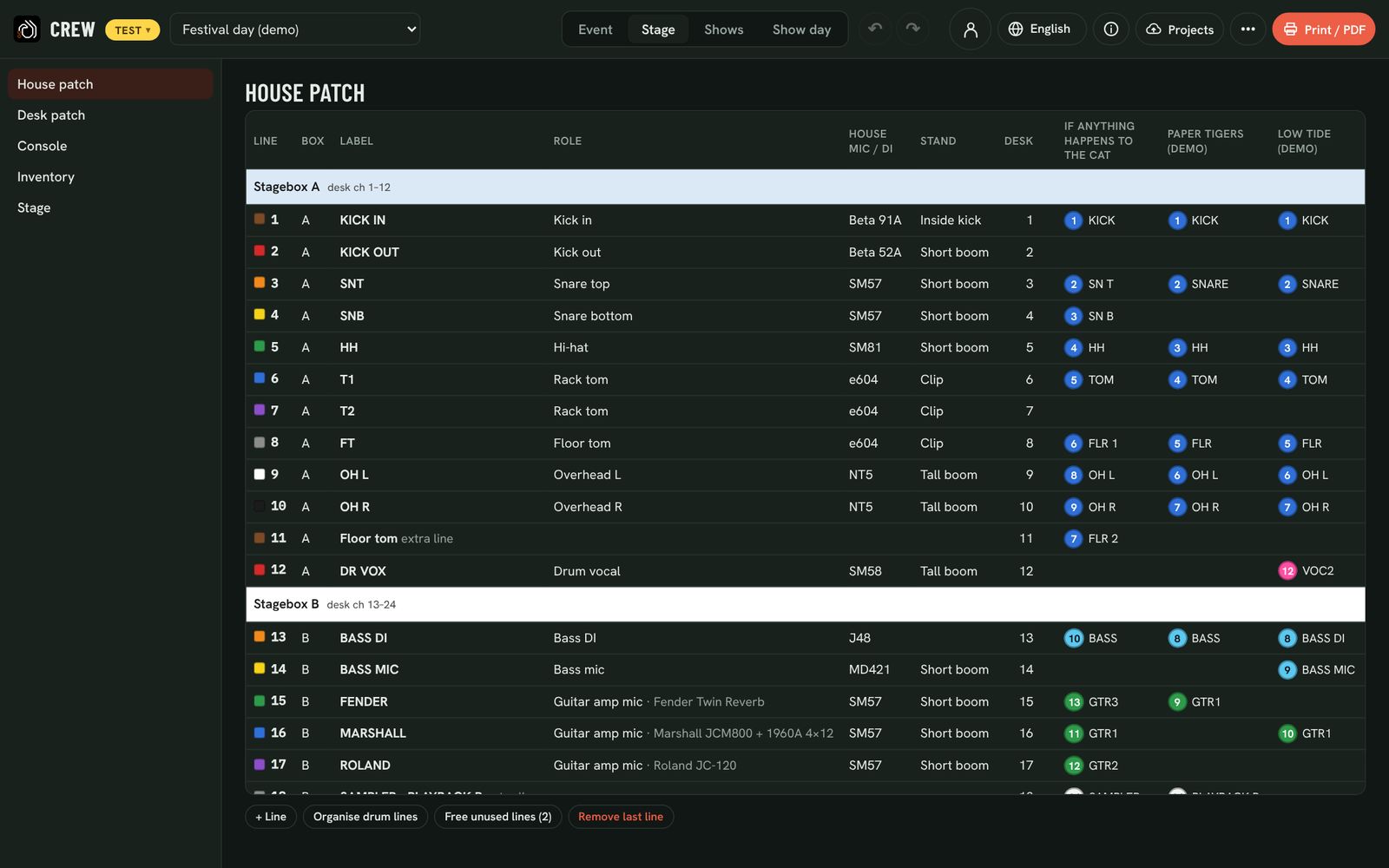
One patch for the whole bill
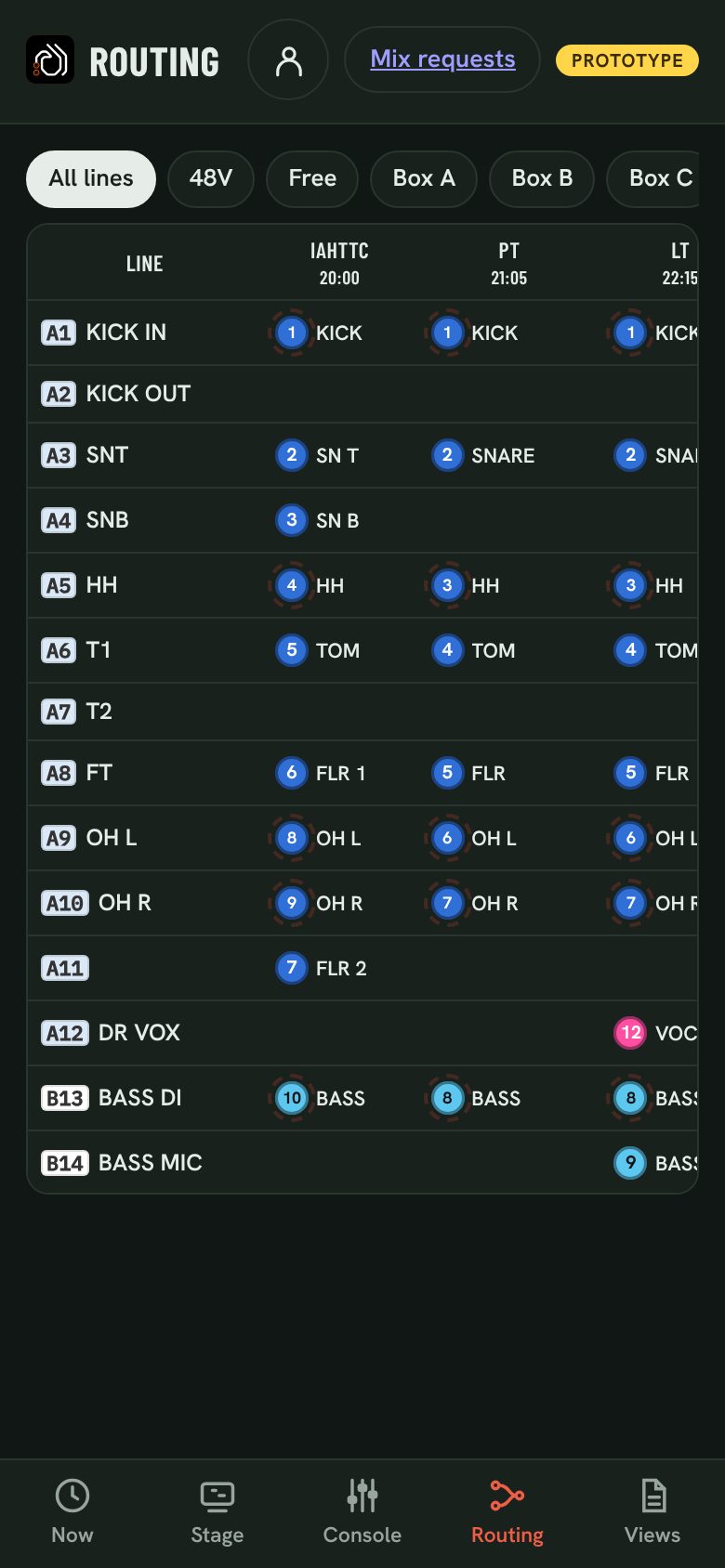
Every line of your stageboxes, with its colour, role, house mic or DI and stand. One column per band shows which of their inputs is on each line, with the band’s own channel number in the dot. Inputs go to a line of their own role first, then a related line, then a free line in the right stagebox. Override any cell; the rest is worked out around your choice.
Only what your desk can do
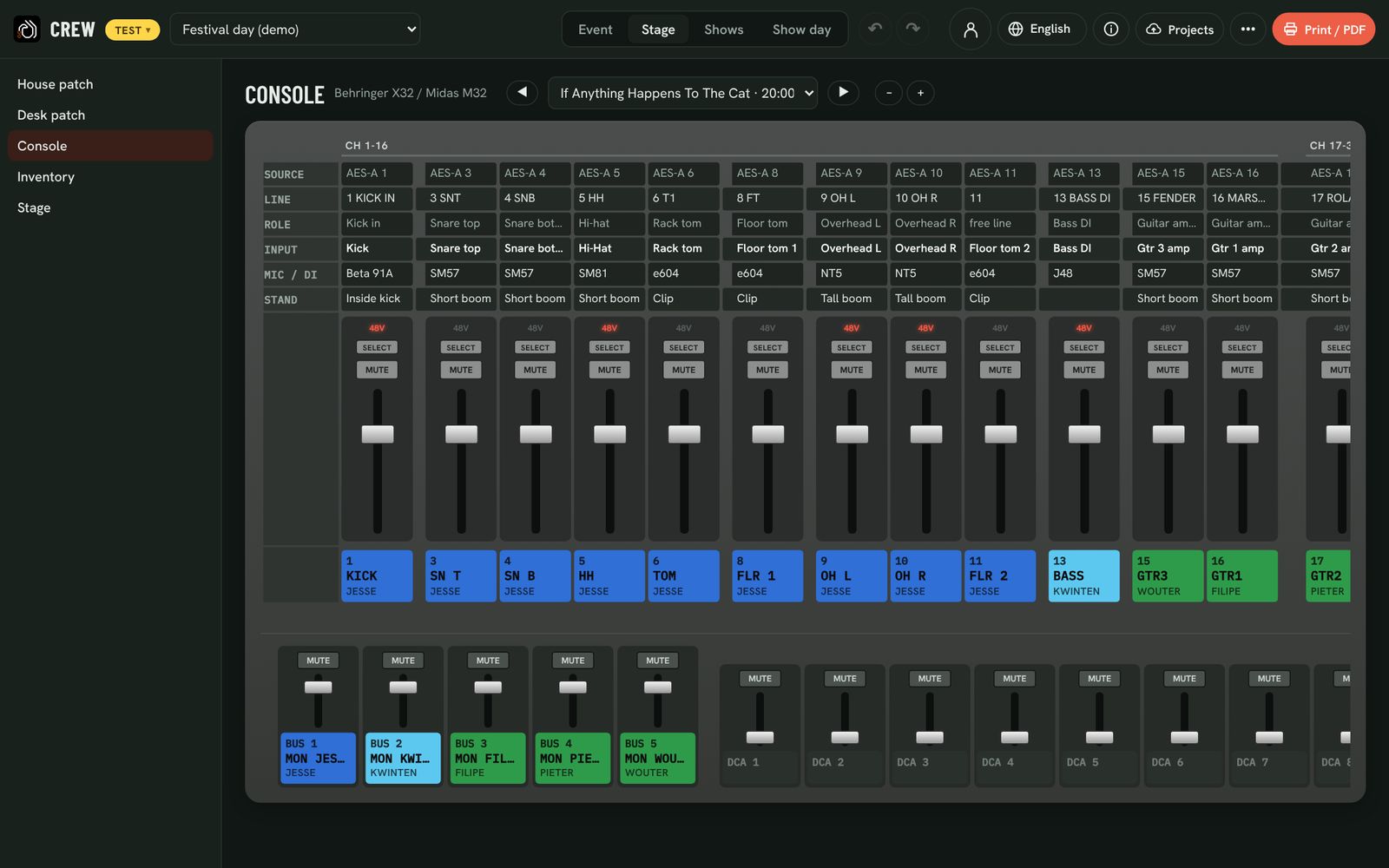
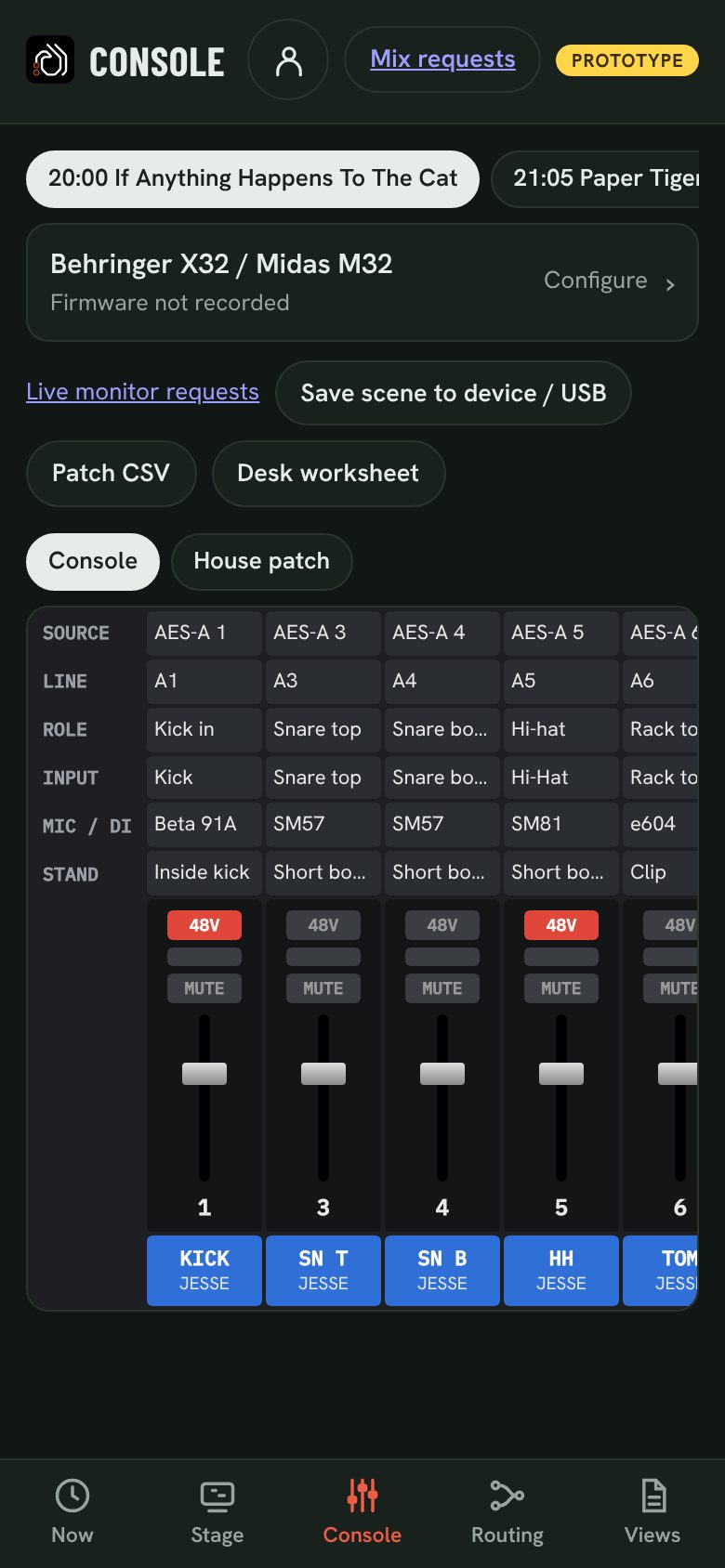
Tell Backlion where each stagebox arrives: local inputs, AES50, Dante or MADI. The dropdowns only offer what the console can do, so nothing runs past a port or the desk. It tells you what to set on the console, warns when boxes overlap or blocks don’t line up, and shows each band as channel strips in your desk’s look, with 48V, mute and the name strip.
Your console, your stageboxes
| Console | Patching | Exports |
|---|---|---|
| Behringer X32 / Midas M32, X32 Compact / Producer | AES50, local, blocks of 8 | Scene file (.scn), CSV, worksheet |
| Behringer Wing | Per channel | CSV, worksheet |
| Behringer XR18 / Midas MR18 | Fixed inputs | CSV, worksheet |
| Allen & Heath SQ-5/6/7, dLive / Avantis | Per channel | CSV, worksheet |
| Yamaha QL1, CL5 / QL5, TF5 | Dante, per channel | CSV, worksheet |
| DiGiCo SD9 | MADI, per channel | CSV, worksheet |
| Soundcraft Ui24R | Fixed inputs | CSV, worksheet |
Stageboxes: Behringer S16 / S32, Midas DL16 / DL32, Allen & Heath AR2412 / DX168, Yamaha Rio1608 / Rio3224, DiGiCo D2-Rack. Save files straight to a USB stick from a laptop or phone. Your desk missing? Tell us.
Short on SM57s? You know on Monday.
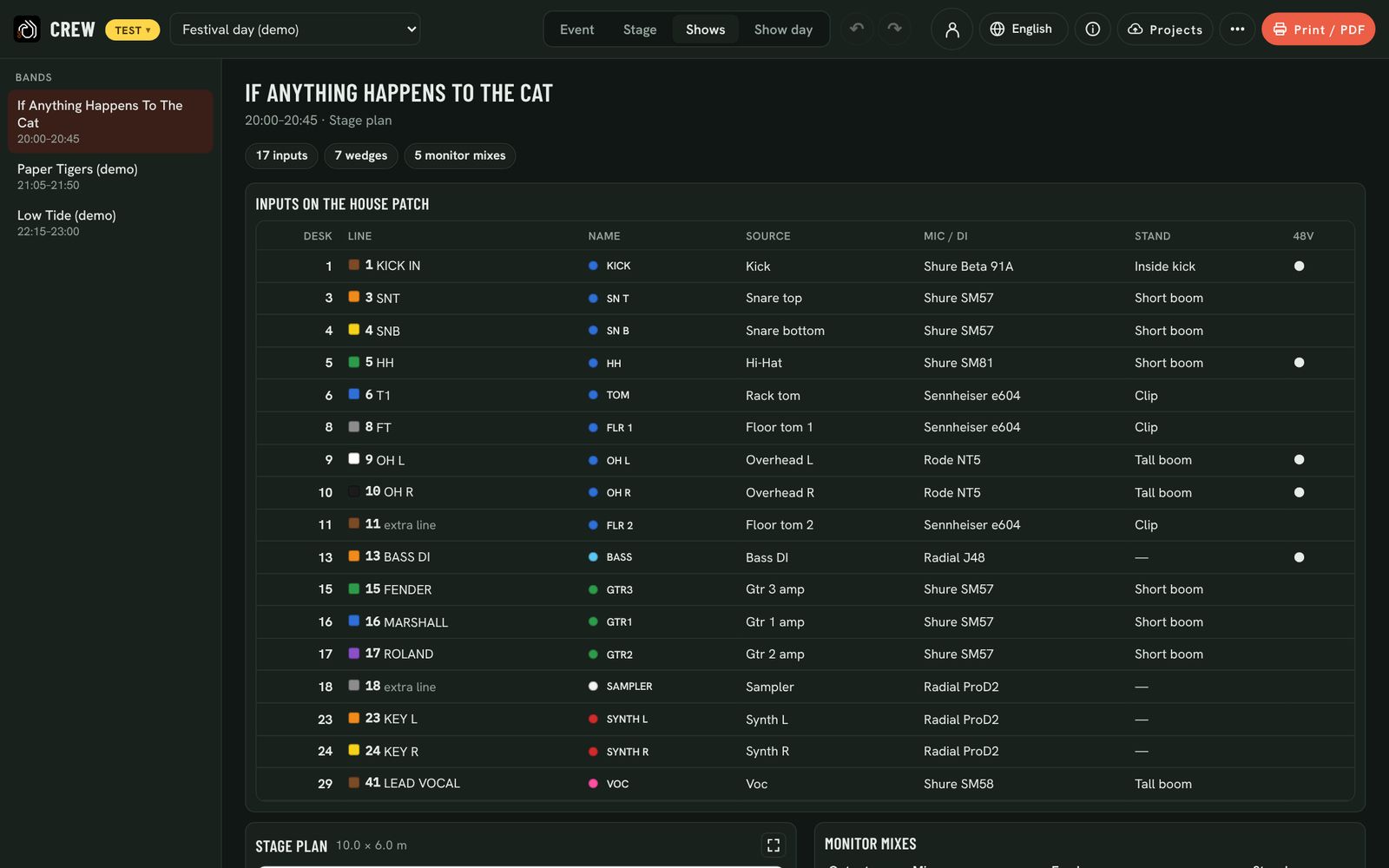
Each band’s page shows their inputs on your lines, the stage plan, the monitor mixes and the changeover from the band before. When a mic or DI runs short, pick a spare from your own stock that does the same job; the band’s pages then say “instead of …”. Add hired gear to the inventory from the same pop-up.
Mixes from the rider. Requests from the stage.
Monitor mixes come from what each musician asked for: wedges, in-ears in mono or stereo, linked wedge pairs. You get a bus-to-mix sheet per band and the monitor steps of every changeover.
During soundcheck and the show, start a private link per mix. The musician asks for more or less of each source from their phone; you mark each request received or done, and they see your answer. Requests are relative (−5 to +5), expire after five minutes, and access ends when you say so.
MON Cara
The desk in your pocket
The crew app shows each band as the desk (a column per channel) or as the house patch with numbered dots. Routing shows every house line against every band; a ringed dot needs 48V. Save the band’s X32 scene to a USB stick straight from the phone.
Questions
Can it load a scene into my desk?
On X32 / M32 it exports a scene file per band on your house channel numbers, with names, colours and 48V; load it from USB. Other desks get a CSV patch and a worksheet that says what to set where.
Does Backlion control the console during the show?
No. Monitor requests are requests to you, not remote control of the desk. You stay in charge of every fader.
Our stage has its own patch conventions.
Lines, roles, labels, house mics and stands are yours to set. Backlion fills bands in around them, and you can pin any input to any line, or keep a line empty for a band.
What about the colours?
One standard everywhere: line colours as on multicore tails (1 brown, 2 red … 10 black), a background colour per stagebox, and one tape colour per kind of source. Print flags for every line cable and labels for every stagebox.